The best high-resolution film scanners help preserve the detail, color, and character locked inside aging negatives and slides. The right model can also reduce dust, scratches, and manual editing work.
We compared dedicated 35mm scanners, flatbeds, medium-format options, and convenient standalone units to help you choose the right balance of resolution, workflow, software, and price.
Best 10 High Resolution Film Scanners Picks for 2026
Professional Detail
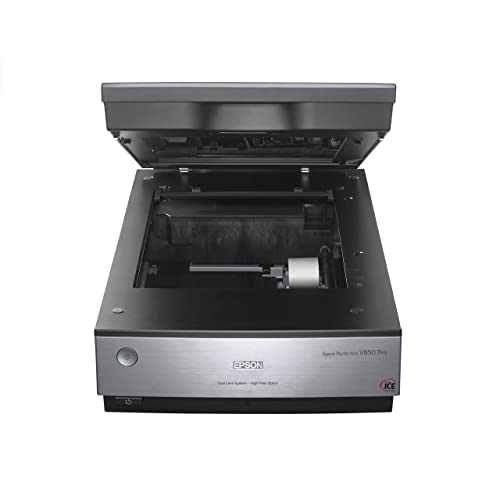
- 6400 dpi resolution for detailed scans
- Dual-lens system optimizes scanning
- 4.0 Dmax preserves shadow detail
Best For: Serious photographers and archival scanning
Next-Generation Film Workstation
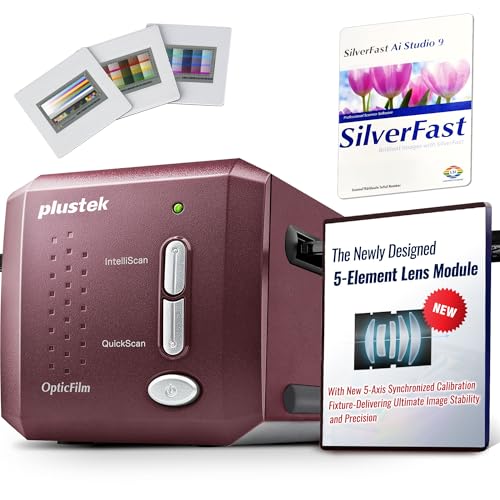
- True optical resolution up to 7200 dpi
- Five-axis precision calibration
- Infrared dust and scratch removal
Best For: Professional 35mm film digitization
Versatile Home Digitizer

- 6400 dpi optical resolution
- Scans photos, documents, slides, and negatives
- Digital ICE supports film restoration
Best For: Home users with mixed scanning needs
Color-Calibrated 35mm Specialist
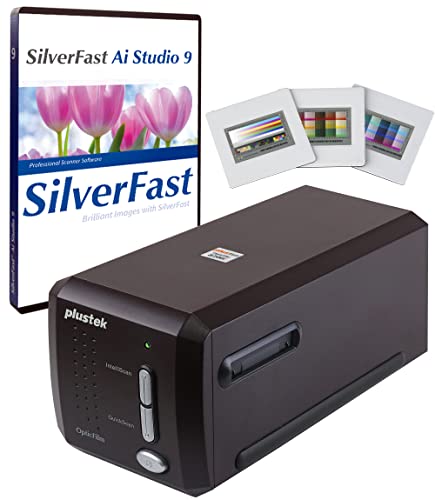
- 7200 dpi resolution for 35mm film
- Advanced IT8 calibration target included
- SilverFast 9 software with infrared tools
Best For: Color-managed 35mm film archiving
Best High-Resolution Workhorse
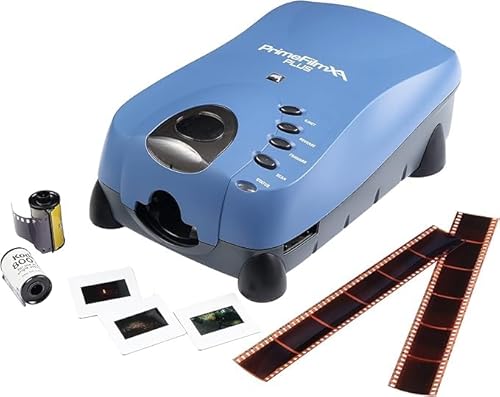
- 10,000 dpi CCD scanning with 48-bit output
- Automatic feeding for strips and rolls
- Autofocus, dust removal, and DNG support
Best For: Serious 35mm archiving and detailed editing
Best Easy-Viewing Converter

- Up to 24MP scans with a CMOS sensor
- Large 5-inch LCD for previews
- Supports multiple film and slide formats
Best For: Simple home digitizing and on-device review
Best Medium-Format Versatility

- Scans 35mm, 120, 127, and 126K formats
- Up to 22MP JPEG output
- On-device exposure and color adjustments
Best For: Mixed-format collections with medium-format film
Best Standalone Pick
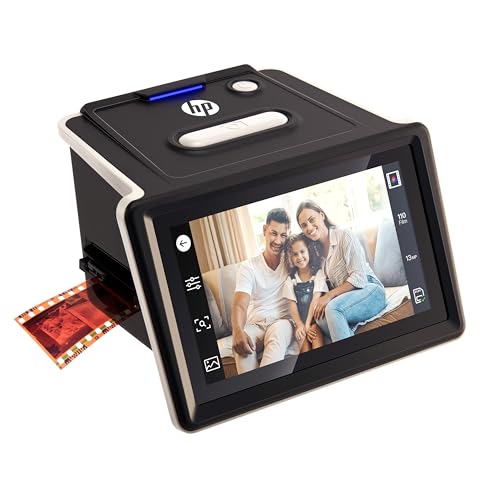
- Standalone scanning with SD card support
- Handles 135, 126, and 110 film formats
- 13MP sensor with 22MP interpolation
Best For: Computer-free home archiving of mixed film collections
Best for Dust Removal

- 7200 dpi scanning for 35mm film
- Infrared dust and scratch detection
- SilverFast SE Plus 9 included
Best For: Detailed 35mm archiving with defect-removal assistance
Best for Large Prints

- 7200 dpi, 69MP-equivalent scanning
- 48-bit output with CCD sensor
- SilverFast software and carry bag included
Best For: 35mm digitization intended for detailed large prints
Professional Detail – Epson Perfection V850 Pro
For photographers seeking high resolution film scanners with strong tonal control, the Epson Perfection V850 Pro combines 6400 dpi scanning, a dual-lens system, and a 4.0 Dmax rating. It is designed for detailed photo and film digitization through a USB connection.
Best For: Serious photographers and users who want high-detail scans with smooth shadow gradations.
Pros:
- 6400 dpi resolution supports detailed enlargements and film scans.
- Dual-lens system selects the appropriate lens for the scan.
- 4.0 Dmax helps preserve tonal range and shadow detail.
- CCD sensor and Digital ICE support photo and film scanning.
Cons:
- At 20.9 pounds, it is relatively heavy and large.
- Its professional features may be more than casual users need.
The V850 Pro is a strong choice when image quality and tonal nuance matter more than portability. Its dual-lens design and high Dmax make it particularly appealing for demanding archival and photographic workflows.
Next-Generation Film Workstation – Plustek OpticFilm 9000i Ai
The Plustek OpticFilm 9000i Ai is a dedicated 35mm option among high resolution film scanners, offering true optical resolution up to 7200 dpi. Its five-axis calibration, infrared defect removal, and included color-management tools target consistent professional results.
Best For: Studios, photographers, and serious film enthusiasts digitizing 35mm negatives and slides.
Pros:
- 7200 dpi optical resolution captures fine grain and film detail.
- Five-axis factory calibration supports consistent focus and alignment.
- SilverFast iSRD uses infrared scanning to help remove dust and scratches.
- Includes SilverFast Ai Studio, QuickScan Plus, and an advanced IT8 target.
Cons:
- It is limited to 35mm film scanning.
- Requires Windows 7 or later 64-bit systems or macOS 10.14 or later.
- Its professional software and calibration features may increase the learning curve.
With high optical resolution and a specialized restoration workflow, the 9000i Ai is built for users who need repeatable, high-quality 35mm digitization rather than general-purpose document scanning.
Versatile Home Digitizer – Epson Perfection V550
The Epson Perfection V550 is a versatile choice for shoppers comparing high resolution film scanners with broader home-office functionality. It scans photos, documents, 35mm slides, and negatives at up to 6400 dpi and includes Digital ICE for film restoration.
Best For: Home users who want one scanner for photos, film, documents, and basic restoration.
Pros:
- 6400 dpi optical resolution supports detailed reproductions.
- Built-in transparency unit handles 35mm slides and negatives.
- Digital ICE helps reduce the appearance of dust and scratches on film.
- Includes photo restoration, OCR, and multi-photo scanning features.
Cons:
- Its 1-sheet standard capacity is not intended for high-volume work.
- It uses a USB 2.0 connection rather than a newer interface.
- It is a general-purpose flatbed rather than a dedicated film scanner.
The V550 makes sense for mixed scanning needs. It offers high stated resolution and useful film features while also handling documents and photo restoration, making it a practical all-around home model.
Color-Calibrated 35mm Specialist – Plustek OpticFilm 8300i Ai
The Plustek OpticFilm 8300i Ai is a dedicated 35mm model for users who want high resolution film scanners with color-calibration tools. Its 7200 dpi resolution, infrared processing, SilverFast 9 software, and included advanced IT8 targets support detailed and repeatable film digitization.
Best For: Film photographers and archivists who need calibrated color and software-based restoration.
Pros:
- 7200 dpi resolution captures fine detail from 35mm slides.
- Advanced IT8 targets provide more measurement points for calibration.
- SilverFast 9 includes infrared processing, HDRi, Multi-Exposure, and NegaFix tools.
- Works with Windows 7/8/10/11 and Mac OS systems.
Cons:
- It is designed specifically for 35mm film rather than documents or larger formats.
- The extensive software feature set may require time to learn.
- A 1-year limited warranty is supplied.
The 8300i Ai is a focused choice for color-conscious film users. Its calibration target and bundled software make it more suitable for controlled archival work than casual, occasional scanning.
Best High-Resolution Workhorse – PrimeFilm XA Plus
For photographers prioritizing maximum detail, the Pacific Image PrimeFilm XA Plus is one of the most capable high resolution film scanners in this roundup. Its 10,000 dpi CCD sensor, 48-bit output, autofocus, and support for 35mm film strips and rolls make it suited to demanding archival and editing workflows.
Best For: Serious 35mm film users who want high-resolution scans, automatic feeding, and extensive post-processing support.
Pros:
- 10,000 dpi resolution with a genuine RGB linear array CCD and 48-bit output.
- Automatic feeding can handle film strips and rolls continuously, up to 40 frames.
- Autofocus, Magic Touch dust removal, color adjustment, and DNG support add workflow flexibility.
- Supports both Windows and Mac systems.
Cons:
- Designed for 135 slides and film, so it is not a medium-format scanner.
- Requires substantial storage, including at least 50 GB of available hard-disk space.
- Its 3 kg weight makes it less portable than compact film converters.
The XA Plus is the strongest choice here when scan detail and batch convenience matter more than portability. Its automatic roll handling and software features make it particularly practical for larger 35mm collections.
Best Easy-Viewing Converter – ClearScan S5
The BEONEGLOBAL ClearScan S5 is a straightforward option for buyers who want high resolution film scanners with an integrated preview screen. It converts several film and slide formats to up to 24MP JPEG files, while its front-panel controls and one-touch operation keep the scanning process simple.
Best For: Casual users and families who want quick film conversion with on-device previews and simple controls.
Pros:
- Up to 24MP output from a dedicated 1/2.3-inch CMOS sensor.
- Bright 5-inch LCD allows images to be previewed and adjusted before saving.
- Supports 135, 126, 110, and Super8 negatives and slides.
- Stores files in built-in 128MB memory or on an SD card up to 32GB.
Cons:
- Outputs JPEG files rather than the DNG format offered by the PrimeFilm XA Plus.
- SD card storage is limited to 32GB and the card is not included.
- Its 24-bit color depth is lower than the XA Plus’s 48-bit output.
The ClearScan S5 emphasizes convenience rather than advanced computer-based scanning. Its large screen, broad format support, and simple controls make it a practical choice for quickly digitizing personal collections.
Best Medium-Format Versatility – 22MP Film Scanner
For shoppers comparing high resolution film scanners that can handle more than standard 35mm, this 22MP model stands out for its broad format compatibility. It scans 135, 120 medium format, 127, and 126K negatives and slides, with built-in editing controls for exposure and color.
Best For: Film enthusiasts with mixed-format collections, especially users who need 120 medium-format support.
Pros:
- Supports 35mm, multiple 120 medium-format sizes, 127, and 126K film.
- Produces JPEG files at up to 22 million pixels.
- Allows brightness, exposure, and color adjustments directly on the device.
- Saves to built-in 128MB memory or an SD card up to 32GB.
Cons:
- The supplied specifications list Bluetooth connectivity, which may be less familiar than USB workflows.
- SD card storage is limited to 32GB and the card is not included.
- Its 22MP output is lower than the ClearScan S5’s stated 24MP maximum.
This model is the most flexible pick for format variety. It is especially appealing if your archive includes 120 film, while its built-in adjustments help you prepare shareable JPEGs without relying on separate editing software.
Best Standalone Pick – HPFS500 Film & Slide Scanner
The HPFS500 is a practical choice for shoppers seeking high resolution film scanners with a computer-free workflow. Its 13MP CMOS sensor, 22MP interpolation, touchscreen, and support for several film formats make it well suited to home archiving.
Best For: Adults digitizing mixed collections of 135, 126, and 110 negatives and slides without a computer.
Pros:
- Standalone operation with SD card storage support.
- Supports 135, 126, and 110 negatives and positive slides.
- 5-inch all-angle touchscreen enables image preview and editing.
- Quick-load tray helps speed up larger scanning sessions.
Cons:
- Its 13MP sensor with 22MP interpolation is less specialized than the 7200 dpi systems below.
- USB connection is listed, but the workflow is primarily designed around standalone use.
The HPFS500 stands out for convenience and format flexibility. Choose it when easy, independent digitization matters more than a dedicated 35mm scanning setup.
Best for Dust Removal – Plustek OpticFilm 8200i SE
For buyers prioritizing detail and restoration features in high resolution film scanners, the Plustek OpticFilm 8200i SE offers 7200 dpi scanning for 35mm negatives and mounted slides. Its infrared channel and bundled software add useful tools for archival work.
Best For: 35mm film users who want high-resolution files with integrated dust and scratch detection.
Pros:
- 7200 x 7200 dpi resolution is specified as 69 megapixels.
- 48-bit input and 24/48-bit output support detailed color capture.
- Infrared channel detects dust and scratches for defect removal.
- Includes Plustek QuickScan and SilverFast SE Plus 9 software.
Cons:
- Designed for 35mm negatives and mounted slides rather than multiple film formats.
- Requires a computer and supports scanning through USB.
- At 1.8 kg, it is less portable than the compact standalone option.
The 8200i SE is a strong fit for detail-focused 35mm digitization. Its infrared cleaning feature gives it an advantage when your originals have visible surface dust or scratches.
Best for Large Prints – Plustek OpticFilm 8100
The Plustek OpticFilm 8100 is a dedicated 35mm model for shoppers comparing high resolution film scanners for large, detailed prints. It combines 7200 dpi scanning, 48-bit output, a CCD sensor, and bundled SilverFast software.
Best For: Photographers digitizing 35mm negatives and slides for professional-size prints and detailed image files.
Pros:
- 7200 dpi resolution is specified as 69 megapixels.
- 48-bit output and CCD sensing support detailed scans.
- Dynamic-range design helps capture shadow and highlight detail.
- Includes SilverFast SE Plus 8 and a protective carry bag.
Cons:
- Limited to 35mm negatives and slides.
- Does not list the OpticFilm 8200i SE’s integrated infrared dust and scratch removal.
- Requires a Windows or Mac computer and USB connection.
The OpticFilm 8100 makes sense when maximum 35mm detail and print potential are the priority. Its carry bag is also useful for storage or occasional transport.
How We Picked the Best High Resolution Film Scanners
We focused on specifications and features that affect real scanning results rather than relying on headline resolution alone. Our comparison considers optical resolution, supported film formats, color depth, dynamic range, infrared dust and scratch removal, included software, scanning speed, and ease of use. We also included both dedicated film scanners and flatbed models because photographers have different archives and workflows.
Resolution claims can vary by manufacturer, so effective detail, alignment, focusing, film holders, and software quality matter just as much as the maximum dots-per-inch figure. A scanner with excellent holders and reliable color management may produce better usable files than a model with a higher advertised number.
Quick Comparison
| Best For | Recommended Type | What to Prioritize |
|---|---|---|
| Large mixed-format archives | Flatbed film scanner | Film-holder capacity, Digital ICE, and medium-format support |
| Maximum 35mm detail | Dedicated film scanner | Optical resolution, alignment, focusing, and infrared cleaning |
| Serious color work | Advanced dedicated scanner | 48-bit output, dynamic range, IT8 calibration, and software controls |
| Fast casual digitizing | Standalone film scanner | Simple controls, display, automatic feeding, and file export |
| Budget home scanning | Entry-level film or flatbed scanner | Supported formats, included software, and total workflow cost |
Key Buying Factors for High-Resolution Film Scanners
Optical Resolution and Real Detail
Look for true optical resolution rather than interpolated numbers. Higher resolution is most useful when scanning small 35mm frames for large prints or aggressive cropping, but it also creates larger files and longer scan times.
Film Formats and Holder Design
Confirm that the scanner supports your collection. Some models handle only 35mm negatives and slides, while flatbeds may also support 120 medium-format film, mounted slides, or multiple frames at once. Stable holders and accurate alignment help keep the entire frame sharp.
Color Depth, Dynamic Range, and Infrared Cleaning
For restoration and editing, 48-bit color output and strong dynamic range provide more flexibility in shadows and highlights. Infrared dust and scratch removal can save substantial retouching time, although it may not work equally well with every film type, especially traditional black-and-white film.
Software and Computer Compatibility
Bundled scanning software can be a major part of the value. Check whether it supports your operating system, batch scanning, color profiles, multi-exposure, dust removal, and manual adjustments. Also verify the connection type and whether adapters are required.
Speed, Storage, and Workflow
High-resolution scans can take several minutes per frame and produce large files. Consider batch capacity, automatic film transport, preview speed, file formats, and available storage before choosing a scanner for a large archive.
Who Should Buy Which High Resolution Film Scanners?
Choose a dedicated Plustek or Pacific Image-style film scanner if your priority is maximum 35mm detail, careful color correction, and consistent frame-by-frame results. A high-end Epson flatbed is better for households with mixed formats, mounted slides, prints, or medium-format film. Entry-level dedicated scanners suit photographers who mainly need straightforward 35mm conversions without advanced calibration. Standalone LCD-equipped models are convenient for casual users, family archives, and quick sharing, but they generally offer less control than computer-connected scanners.
Before buying, count your film formats and estimate how many frames you will scan. The best high-resolution film scanners are not necessarily the ones with the largest advertised number; they are the models whose resolution, holders, software, cleaning tools, and workflow match the material you actually need to digitize.