A dependable webcam can make video calls, online classes, and live streams look noticeably sharper without requiring a complicated camera setup. The right choice depends on more than resolution: microphone quality, lighting performance, field of view, privacy features, and software support all affect daily use.
We selected 10 webcams spanning affordable 720p options, versatile 1080p models, and higher-resolution cameras for creators and professionals. Use the guide below to narrow the list by performance, features, and budget.
Best 10 Webcams Picks for 2026
Premium 4K Pick

- 4K at 30fps with 2K/1080p at 60fps
- Fast PDAF autofocus and automatic image adjustment
- AI noise cancellation and physical privacy shutter
Best For: Professional streaming, meetings, and detailed video calls
Reliable 1080p Favorite

- Full HD 1080p video at 30fps
- Autofocus, lighting adjustment, and dual microphones
- Includes three-month XSplit VCam license
Best For: Everyday calls, streaming, recording, and Switch 2 GameChat
Low-Light Meeting Pick
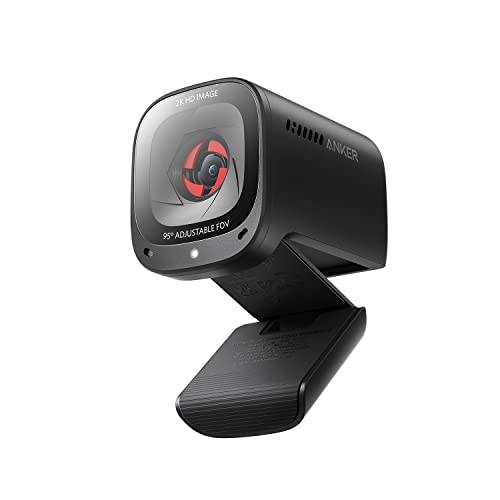
- 2K resolution for detailed conference video
- AI noise cancellation with dual microphones
- Selectable 65°, 78°, or 95° viewing angles
Best For: Remote work and meetings in variable lighting
Budget Privacy Choice

- 1080p video at 30fps with a 110° wide angle
- Plug-and-play USB connection across multiple operating systems
- Noise-canceling mic and sliding privacy cover
Best For: Basic calls, online classes, gaming, and streaming
Best Balanced 1080p Pick

- Full HD 1080p video
- Automatic light balancing
- Built-in slide privacy cover
Best For: Everyday work calls and meetings
Best Wide-Angle Budget Option

- 1080p video with 90° field of view
- Dual omnidirectional microphones
- USB-A and A-to-C connectivity
Best For: Group calls and wider desk setups
Best Basic 720p Webcam
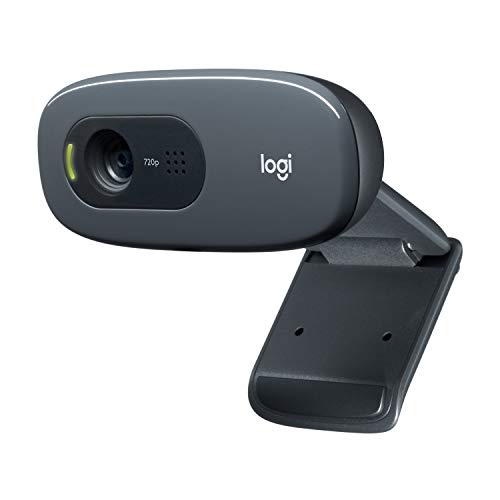
- 720p video at 30 fps
- Automatic light correction
- Adjustable universal mounting clip
Best For: Casual video calls and simple setups
Budget-Friendly Clarity
TRAUSI 1080p Wide-Angle Webcam

- 1080p video with a wide-angle lens
- Light correction and noise-canceling mic
- Privacy cover and driver-free USB setup
Best For: Everyday video calls, teaching, and casual streaming
Versatile Performance

- 1080p/30fps or 720p/60fps video
- Autofocus and automatic light correction
- Stereo mics and included XSplit VCam license
Best For: Streaming, conferencing, and content creation
Simple Privacy Pick
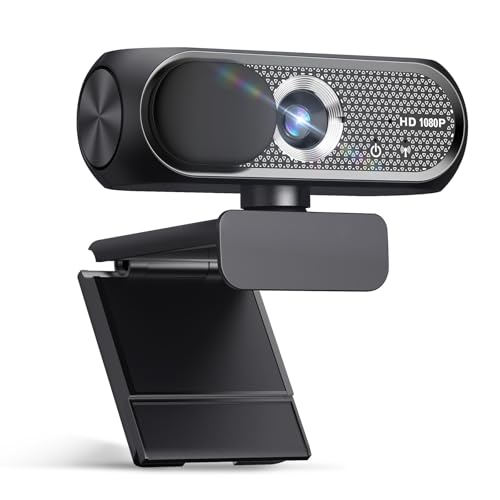
- 1080p video and wide-angle lens
- Noise cancellation and automatic light correction
- Privacy cover with plug-and-play USB setup
Best For: Basic calls, remote learning, and privacy-conscious users
Premium 4K Pick – Acer A640
If you want one of the sharpest webcams for streaming, meetings, or remote work, the Acer A640 stands out with 4K video, fast autofocus, and automatic image adjustments. Its USB-A to USB-C adapter also helps it work with both older PCs and newer laptops.
Best For: Users who prioritize 4K detail, quick autofocus, and clearer voice pickup for professional calls or streaming.
Pros:
- 4K video at 30fps, with 2K and 1080p options at 60fps.
- Phase Detection Auto Focus helps keep subjects sharp without focus hunting.
- AI noise cancellation, automatic low-light correction, and a physical privacy shutter.
- Plug-and-play USB connection with a USB-A to USB-C adapter.
Cons:
- Does not include built-in speakers.
- Best image performance requires a well-lit environment.
The A640 is a strong choice when image quality and focus consistency matter more than basic plug-in convenience. Its 4K sensor and audio processing make it especially appealing for creators and frequent video-call users.
Reliable 1080p Favorite – Logitech C920x
The Logitech C920x is a dependable choice among webcams for everyday video calls, recording, and streaming. It combines Full HD 1080p video at 30fps with autofocus, automatic lighting adjustment, and dual microphones.
Best For: Home-office users, streamers, and Switch 2 owners who want a familiar Full HD webcam with broad platform support.
Pros:
- Full HD 1080p video at 30fps with crisp, detailed color.
- Autofocus and automatic lighting adjustment help maintain a clear image.
- Dual microphones capture natural stereo audio.
- Includes a three-month XSplit VCam license for background replacement, removal, or blur.
Cons:
- No built-in privacy shutter.
- Video resolution is limited to 1080p rather than 2K or 4K.
The C920x remains a practical all-purpose option if Full HD is enough for your setup. Its autofocus, lighting adjustment, and included background-effects software add useful flexibility without requiring a higher-resolution camera.
Low-Light Meeting Pick – Anker PowerConf C200
The Anker PowerConf C200 is one of the more flexible webcams for home offices and professional conferences. Its 2K resolution, low-light correction, AI noise cancellation, and selectable viewing angles help it adapt to different rooms and meeting setups.
Best For: Remote workers and meeting-focused users who need clear video and audio in varied lighting.
Pros:
- 2K resolution provides sharper detail than standard 1080p webcams.
- AI noise cancellation and dual microphones help keep voices clear.
- Low-light correction supports clearer images in dim settings.
- Software-selectable 65°, 78°, and 95° viewing angles make framing adjustable.
Cons:
- The notes do not specify a frame-rate range.
- Compatibility is listed for Windows 7 or later and macOS 10.11 or later, rather than a wider range of platforms.
The C200 is a sensible middle ground for users who want more detail than 1080p without moving to a 4K webcam. Its adjustable field of view and low-light performance are particularly useful for changing workspaces.
Budget Privacy Choice – NexiGo N60
The NexiGo N60 is a straightforward option among webcams for video calls, online classes, gaming, and streaming. It delivers 1080p video at 30fps, includes a built-in noise-canceling microphone and privacy cover, and connects without additional drivers on many common operating systems.
Best For: Buyers seeking an affordable plug-and-play webcam with a wide view and physical lens protection.
Pros:
- Full HD 1080p video at 30fps through a 2MP CMOS sensor.
- Wide 110° viewing angle helps include more of the room or desk.
- Built-in noise-canceling microphone and sliding privacy cover.
- Works with Windows, macOS, Linux, Android, Chrome OS, and Ubuntu systems listed by the manufacturer.
Cons:
- Fixed focus is optimized for distances from about 19.6 inches to 13 feet.
- Not compatible with Xbox, PS4, or PS5.
- Support may be needed for a firmware update if audio delays occur.
The N60 makes the most sense for basic calls and streaming where convenience, a wide frame, and privacy protection matter more than high-end image detail. Its fixed focus keeps operation simple, but close-up framing is less flexible than autofocus models.
Best Balanced 1080p Pick – Logitech Brio 100
The Logitech Brio 100 is a practical choice among webcams for everyday video calls, remote work, and meetings. Its Full HD resolution, automatic light balancing, built-in microphone, and slide privacy cover provide a straightforward setup for supported computers.
Best For: Work-from-home users who want 1080p video, simple plug-and-play setup, and built-in privacy.
Pros:
- Full HD 1080p video for clear calls and meetings
- RightLight automatically boosts brightness and reduces shadows
- Integrated slide cover provides convenient privacy when the camera is not in use
- Compatible with Windows, macOS, ChromeOS, Zoom, Microsoft Teams, and Google Meet
Cons:
- Fixed-focus design offers limited adjustment flexibility
- USB-A connectivity may require an adapter for devices without USB-A ports
- The 58-degree viewing angle is narrower than some wide-angle webcams
Choose the Brio 100 if you want dependable 1080p video and useful automatic lighting assistance without a complicated setup. Its fixed position and built-in cover make it especially suited to routine calls at a desk.
Best Wide-Angle Budget Option – EMEET C960
The EMEET C960 is one of the more flexible webcams for group calls and streaming setups where a wider view is useful. It combines 1080p video, a 90-degree field of view, dual omnidirectional microphones, automatic light adjustment, and both USB-A and USB-C adapter connectivity.
Best For: Users who need a wider frame for multiple participants and want dual microphones with a privacy cover.
Pros:
- 1080p video with a wide 90-degree field of view
- Two built-in omnidirectional microphones for voice pickup
- Includes a removable privacy cover
- Supports USB Type-A and A-to-C connections
Cons:
- Best image results require normal or well-lit conditions
- Does not include built-in speakers
- Not compatible with Windows Hello, tablets, or game consoles
The C960 makes sense when framing more than one person matters more than a narrow, close-up composition. Confirm your operating system and application permissions during setup, then select the C960 as the camera and microphone device.
Best Basic 720p Webcam – Logitech C270
The Logitech C270 is a simple, established option among webcams for basic video calling. It provides 720p video at 30 frames per second, automatic light correction, a noise-reducing microphone, and an adjustable clip for laptops, monitors, or shelf placement.
Best For: Users who need an uncomplicated webcam for casual calls on compatible Windows, macOS, or ChromeOS computers.
Pros:
- 720p video at 30 frames per second for standard calls
- RightLight 2 adjusts to changing lighting conditions
- Noise-reducing microphone supports voice pickup up to 1.5 meters
- Adjustable universal clip can attach to a screen or stand on a shelf
Cons:
- 720p resolution is lower than the 1080p models in this roundup
- Its 55-degree field of view is relatively narrow
- Uses USB-A connectivity
The C270 is a sensible fit for straightforward calls where 720p quality is sufficient. Its compact clip and automatic lighting adjustment keep setup easy, while the fixed-focus design is best suited to a conventional desk position.
Budget-Friendly Clarity – TRAUSI 1080p Wide-Angle Webcam
If you need dependable webcams for video calls, online teaching, or streaming without a complicated setup, the TRAUSI TW05 covers the essentials. It combines 1080p video, a wide-angle lens, automatic light correction, and a built-in noise-canceling microphone in a compact USB design.
Best For: Everyday Zoom, Teams, Skype, teaching, and casual streaming where privacy and plug-and-play setup matter.
Pros:
- 1080p video at 30fps with a wide-angle lens.
- Automatic light correction helps adjust brightness and color.
- Built-in noise-canceling microphone and sliding privacy cover.
- Driver-free USB setup with a 5-foot cable.
Cons:
- Fixed-focus lens offers less flexibility than autofocus.
- The supplied information does not specify advanced software controls.
The TRAUSI is a practical pick for users who want core webcam features at a straightforward price. Its fixed focus is best suited to normal desk-based use rather than variable-distance presentation work.
Versatile Performance – Logitech C922x HD Pro Webcam
The Logitech C922x is one of the more versatile webcams for users who want clear calls plus higher-frame-rate video options. It supports Full HD 1080p at 30fps or 720p at 60fps, with autofocus, automatic light adjustment, stereo microphones, and compatibility with major meeting platforms.
Best For: Streaming, video conferencing, content creation, and users who need autofocus or 720p/60fps capture.
Pros:
- Offers 1080p at 30fps or 720p at 60fps.
- Autofocus and automatic lighting adjustment support changing conditions.
- Dual stereo microphones capture natural-sounding audio.
- Includes a three-month XSplit VCam license for background effects.
Cons:
- Does not include a physical privacy shutter.
- Its advanced capture features may be more than casual callers need.
Choose the C922x when flexibility is more important than the simplest feature set. Autofocus, stereo audio, and the 60fps option make it especially appealing for streaming and active on-camera use, while the lack of a privacy shutter is worth noting.
Simple Privacy Pick – Shcngqio TWC29 1080p Webcam
For shoppers comparing affordable webcams, the Shcngqio TWC29 focuses on the features most people use regularly. It provides 1080p video at 30fps, a wide-angle lens, automatic light correction, noise cancellation, and a privacy cover, all through a plug-and-play USB connection.
Best For: Basic laptop or desktop calls, remote learning, streaming, and users who want a privacy cover without installing drivers.
Pros:
- 1080p Full HD video with a wide-angle lens.
- Automatic light correction supports dim or uneven lighting.
- Noise-reducing microphone and sliding privacy cover.
- Plug-and-play compatibility with computers, tablets, and smartphones.
Cons:
- Fixed-focus design is less adaptable than autofocus.
- The listed warranty is limited to 90 days.
The TWC29 is a sensible entry-level option when easy setup, privacy, and clear 1080p video are the priorities. It is best for stable desk use, while users wanting autofocus or more documented software features may prefer a more advanced model.
How We Picked These Webcams
We focused on USB Webcams that are practical for common computer setups, including video meetings, remote learning, streaming, and casual calls. Our selection considers image resolution and frame rates, microphone design, low-light or auto-light correction, field of view, privacy covers, plug-and-play compatibility, and available software controls. We also included options at several price levels rather than treating maximum resolution as the only measure of value.
Quick Comparison
For dependable everyday 1080p video, the Logitech C920x, Logitech Brio 100, NexiGo N60, EMEET C960, and comparable full-HD models are strong starting points. The Logitech C922x adds a 720p/60fps mode that can benefit smoother streaming, while the Anker PowerConf C200 offers 2K video and useful low-light correction. The Acer A640 is aimed at users who want 4K detail and AI microphone features. Budget shoppers may prefer the Logitech C270, while privacy-conscious buyers should prioritize models with a physical cover.
Key Buying Factors for Webcams
Resolution and Frame Rate
Full HD 1080p is the practical sweet spot for most calls and streams. A 2K or 4K webcam can preserve more detail, but it may require better lighting, greater bandwidth, and a computer capable of handling higher-resolution video. A 60fps mode is useful for smoother motion, particularly during streaming or demonstrations.
Lighting and Image Quality
Auto light correction helps when your room is unevenly lit, but no webcam can fully replace a front-facing lamp or window light. If you often call from dim rooms, prioritize low-light correction and a camera with reliable exposure control.
Microphones and Field of View
Built-in microphones are convenient for meetings, especially when they include noise reduction or multiple pickup mics. A wider field of view can fit two people or show more of a workspace, while a narrower view generally creates a more focused portrait.
Privacy and Compatibility
A physical privacy cover provides simple protection when the camera is not in use. Confirm that the webcam works with your operating system and meeting platform, and check whether optional software is needed for framing, exposure, or microphone settings.
Who Should Buy Which Webcams?
Choose a 1080p model for most office calls, classes, and general-purpose use. Pick the Logitech C270 if price and basic plug-and-play calling matter most. Consider the Logitech C920x or Brio 100 for dependable mainstream performance, and the C922x if smoother motion is important. The Anker PowerConf C200 suits users who want extra resolution and low-light assistance, while the Acer A640 is better for creators who can take advantage of 4K capture and advanced microphone features. If privacy is a priority, select a model with a built-in cover and verify that its viewing angle suits your desk.